

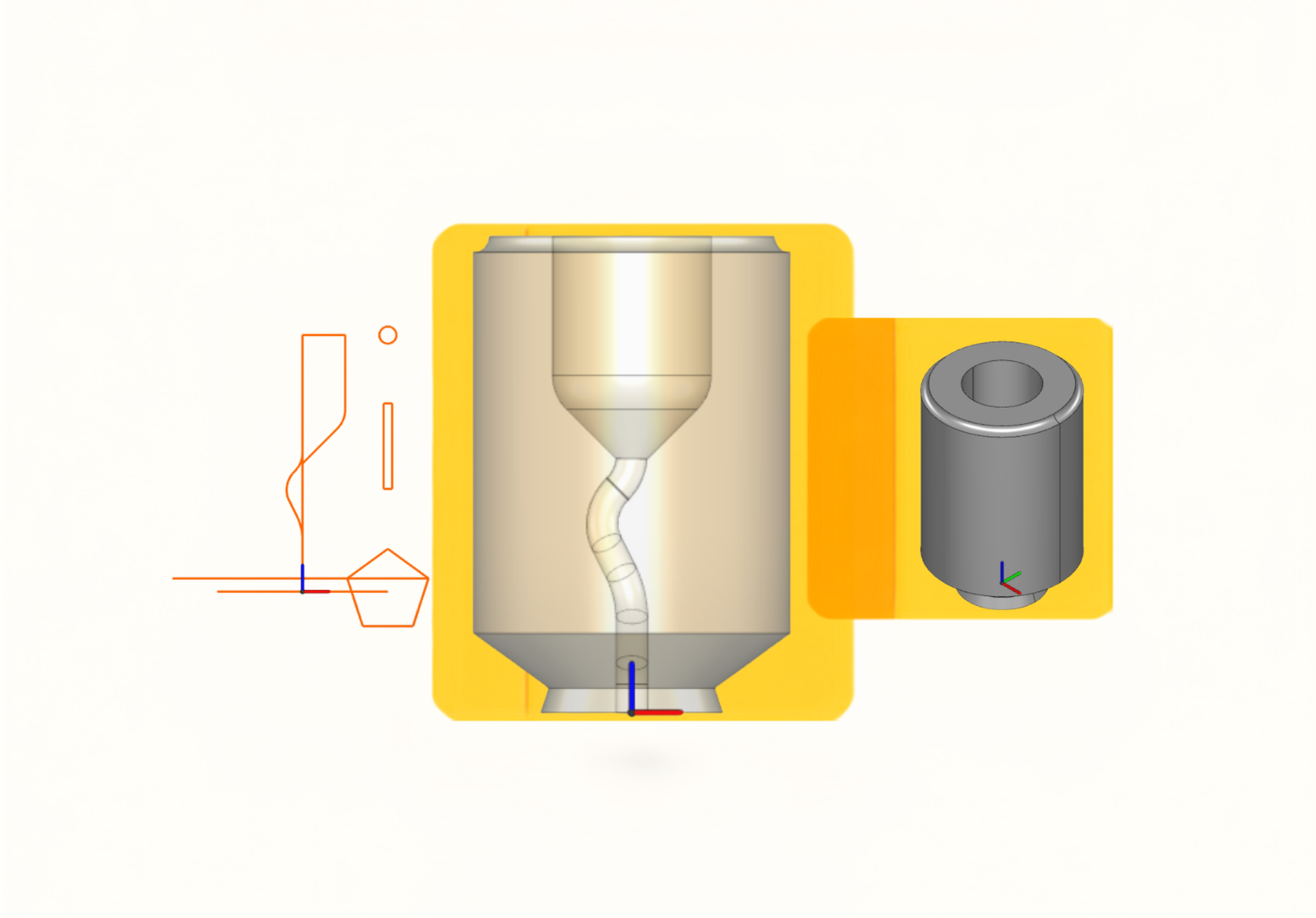
Robotmaster CAD Module: Native 3D Modeling & Geometry Repair for Robotic Automation
Create, repair, and optimize geometry directly within Robotmaster.
Eliminate CAD software switching and accelerate robot programming.
Preparing 3D models for robotic applications often becomes a bottleneck when geometry issues require additional CAD tools and manual rework. The Robotmaster CAD Module provides native CAD/CAM capabilities for robot simulation and offline programming, enabling users to create, repair, extract, and optimize geometry within a single environment. Whether creating parts from scratch or isolating critical regions on complex imported meshes, the module streamlines Digital Twin preparation and accelerates deployment.
Speed Up Offline Programming with Built-In CAD Tools
Only the CAD Tools Robot Programmers Need
The intuitive Create/Modify tabs are stripped down to the exact geometry tools you need for robotic path generation—giving you quick access to surface splitting, curve extraction, and boolean operations with straightforward Apply, OK, and Cancel workflows.
Rapid Geometry Repair & Model Cleanup
Don’t let poorly optimized, heavy CAD files dictate your programming time or crash your system. Aggressively clean up imported geometry directly in your OLP environment. By removing unwanted features—like fillet, chamfer, pocket and so on.—you stabilize TCP orientation and prevent software lag. Generate reliable reference lines directly from your 3D model, giving you a mathematically clean foundation so you can focus on robot kinematics rather than drafting splines.
Reliable Toolpath Foundations
Automatically generate flawless trajectories by extracting precise reference lines directly from your 3D model. Utilize Curve from edge for quick offset paths in trimming operations, or use Curve at solid intersections to instantly extract hidden weld seams where complex plates meet.
Complete CAD/CAM Integration & Cell Prototyping
From simple 2D wireframes to complex 3D volumes, build your manufacturing models natively using Solid Extrusion, Solid Revolve, and Solid Sweep. Missing 3D models for your fixtures or workcell? Rapidly sketch and generate dummy end-effectors, rotaries, or safety fences to validate reach and ensure collision-free simulations instantly.
Workflow Spotlight: Localized Surface Finishing on Complex Parts
Ideal for Robotic Polishing, Grinding, and Painting
The Challenge:
When working with complex geometries such as bicycle frames or structural tubes, the imported CAD model often presents large, single, continuous surfaces. However, your robot may only need to polish or grind a very specific localized area. Selecting the entire face generates an oversized toolpath, wasting cycle time and risking over-processing.
The 2-Step Native Solution:
You don’t need to send the model back to the design team. Isolate the exact machining area directly within Robotmaster:
Define the Boundary: Use Curve along UV lines to define the exact boundaries of the machining area directly on the curved surface.
Isolate the Region: Use Split face to divide the surface using the newly created curves. The selected finishing area becomes an independent region, ready for accurate toolpath generation.
CAD Module Feature Overview
| Category | Key Features |
|---|---|
| Wireframe & Toolpath Curves | Create fundamental 2D geometry (Points, Lines, and Splines) and extract robotic toolpath references using Curve from Edge, Curve at Solid Intersections, and Curve Along UV Lines. |
| 3D Modeling & Surface Creation | Build manufacturing models directly within Robotmaster. Create 3D solids using Solid Extrude, Solid Revolve, and Solid Sweep. Define raw stock with Bounding Box or generate new surfaces using Face from Contour. |
| Geometry Repair & Simplification | Repair and simplify imported CAD geometry. Remove unwanted features using Feature Removal, perform unions and subtractions with Boolean Operations, and refine geometry with Solid Chamfer, Break, and Extend/Trim. |
| Surface Editing & Region Control | Optimize grinding and polishing regions with surface editing tools. Patch gaps seamlessly with Fill hole and Close arc, or isolate exact regions using Extend face, Face offset, and Split face. Align your models perfectly using Transform and Scale. |
Solving Real-World Robotic Manufacturing Challenges
The Robotmaster CAD Module helps prepare and optimize geometry for a wide range of robotic manufacturing processes, enabling more accurate toolpaths and more efficient programming workflows.
Robotic Grinding & Polishing
Achieve controlled and repeatable finishing on complex parts such as bicycle frames and tubular structures. When imported models contain large continuous surfaces, use Curve along UV lines and Split face to isolate specific grinding or polishing zones. This ensures toolpaths remain within the intended boundaries, reducing cycle time and preventing unnecessary material removal.
Robotic Trimming & Edge Finishing
Generate accurate edge-trimming paths directly from part geometry. Using Curve from Edge, programmers can quickly extract model boundaries and create offset toolpaths for trimming and edge-finishing processes. This eliminates unnecessary CAD rework while accelerating program creation.
Robotic Welding
Generate accurate weld paths on complex multi-part assemblies. When two plates or structural components intersect, the actual weld seam is often hidden within the solid geometry and difficult to extract manually. Use Curve at Solid Intersections to automatically generate the intersection curve between mating parts, creating a precise welding path in seconds.
Ready to bring CAD and robot programming together?
See how Robotmaster CAD Module helps manufacturers prepare geometry, generate toolpaths, and accelerate robot programming—all within a single environment.
 English
 Français
 Deutsch
 Italiano
 Español
 日本語
日本語 简体中文
简体中文 繁體中文
繁體中文 한국어
한국어